Bullet Heaven / Dark Cosmos — Design Context
Bullet Heaven / Dark Cosmos — Design Context
Section titled “Bullet Heaven / Dark Cosmos — Design Context”Pillars vs. conventions — read this first
Section titled “Pillars vs. conventions — read this first”Added 2026-07-18 (dark-cosmos/lead-design/) after an audit found this doc’s rules were hard to tell apart by authority level — several read as permanent design law but were really just what one specific polish pass happened to produce (e.g. the glass/glow card treatment is explicitly dated to “the 2026-07-03 HUD/shop polish pass” further down this file). Only these two are genuine pillars:
- A single confident cyan accent carries primary UI weight — near-black canvas, one strong accent, not a rainbow of competing colours. This is the actual brand identity, not a style choice up for revision.
- A weapon/element identity colour is fixed per kind and never re-tinted for decoration — colour differentiation here is gameplay-legible signal (enemy/element/weapon identity), not just aesthetics; see
docs/architecture/rendering-and-performance.mdfor the load it carries (e.g.splitteris teal specifically to avoid colliding with the XP-gem colour).
Everything else in this file — specific hex values beyond the cyan accent, the glass/glow card treatment, circular docks, bar styling, layout positions, motion timing — is a current convention, established during a specific pass and genuinely good, but open to revision. Don’t treat “we built it this way” as equivalent to “we decided this must always be this way.”
Visual Theme
Section titled “Visual Theme”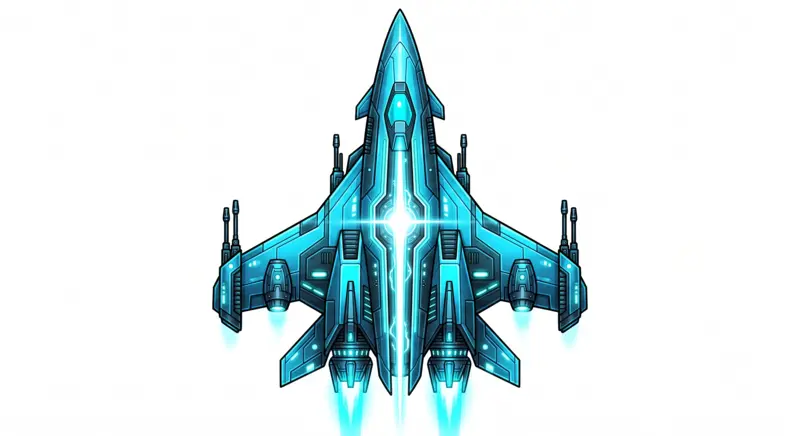
Neon-void: near-black space as the canvas, a single confident cyan accent carrying most UI weight, per-system accent colors (weapon/element identity colors) used sparingly and only where they carry real meaning (e.g. a weapon icon’s own color, never a decorative gradient).
- Primary accent: the
accent.maintoken (Tokens.c(&"accent.main"); every colour, size and spacing value is a live token, seedocs/architecture/ui-tokens.md) — carries HP bar (healthy), borders, headers, default UI accent. - Semantic HP ramp: cyan (>60% HP) → lerp cyan/amber (30–60%) → red
Color(1.0, 0.25, 0.2)(<30%), defined inHud._hp_color(frac). Reuse this exact curve as the trigger for any new HP-driven prominence/urgency scaling — color and visual weight should escalate together, not independently. - Per-weapon/per-element identity colors (
WeaponPanel._WeaponIcon._COLOR,ElementPalette): fixed per kind, never element-tinted for weapon icons (a weapon keeps its own color regardless of current element). - Backgrounds use near-black translucent panels (
Color(0.02, 0.03, 0.06, 0.6–0.66)), never flat pure black. - Full colour-scheme structure + rationale (identity palettes, progressions, colour-blind remap, HDR/SDR/P3):
docs/architecture/colour-system.md.
Typography
Section titled “Typography”- Orbitron (
NeonTheme.title_font()): headers, titles, UI labels — geometric, screen-legible at distance. - JetBrains Mono (
NeonTheme.mono_font()): HUD numbers (HP values, timers) — monospace so digits don’t shift width as they change. - Sizes are the
font.*tokens. On Apple TV body text never drops below 15px:font.smcarries atvvariant of 15 inui/tokens/defaults.json(14 elsewhere).
Components
Section titled “Components”- Glass/glow card treatment (established in the 2026-07-03 HUD/shop polish pass):
StyleBoxFlatwith a dark translucentbg_color, thin 1–2px accent border at restrained alpha (~0.22–0.42, not a heavy glow), a soft accent-tinted shadow (size 3–7px). This is the shared visual family across menu cards, docks, and HUD bars — restrained, not maximalist neon. - Circular docks (
WeaponPanel.slot_style(), shared by weapon/drone docks):corner_radius == size/2on a square StyleBoxFlat, 1px border. Reads as one visual family with the ability bar’s own circular module rings. - Bars (
Hud._bar_track_style/_bar_fill_style): rounded track (12px corner radius) + rounded glowing fill pill (8px corner radius), fill shadow at 0.5 alpha for a genuine glow.
Layout Conventions
Section titled “Layout Conventions”- Anchored
Controls viaset_anchors_preset— never hardcoded pixel positions in aCanvasLayer(a documented past bug class in this project). - Top-center: player-critical status, then run-state rows: the HP bar (P2’s under it in co-op), then the boss bar while a boss is alive, then the one-line Dimension chip (active Dimension + reward multiplier) once a run has entered one. Level/XP stay off the live HUD (2026-07-03 HUD elegance pass; level shows on the level-up panel and Ship Configuration screen). The whole stack shifts down together by
Hud.top_shiftto clear the TV title-safe band. - Top-left: tactical/loadout info (weapon dock, drone dock, ability icons) — secondary to survival status, should read as clearly lower-priority than the HP block through size/position/default-visibility, not equal visual weight.
- Bottom-center: transient, self-dismissing content only — never a permanent fixture. The Dimension arrival card (name, danger, rewards, threats; ~5 s after entering a Dimension) lives here, above the bottom safe inset and narrowed so it clears the touch controls (move stick, aim ring, WARP / DRONE).
Motion
Section titled “Motion”- Continuous subtle idle motion (thruster pulse, glow breathing) rather than static elements — but never distracting or fast enough to compete with gameplay reading.
- Transient celebratory moments (level-up) should be brief (under ~1s) and not block input/movement.